
बोल दो। हिसाब हो जाà¤à¤—ा।
Say what you spent or received, in Hindi, Hinglish or English. Hisaab writes it down, and you confirm every entry.
अà¤à¥€ Android के लिà¤à¥¤ iPhone के लिठनहीं।
सà¥à¤¨à¤¾ गया “Aman ko 200 dudh lane ke liye diya, Prince se 100 fee ke liye liyaâ€
Example entries, shown here as a ledger. In the app each one appears as a card that you confirm. The real app listens to you.
तीन कदम, बस।
Three steps. Nothing is written until you say so.
Name, amount, reason, as many as you like in one go. Hindi, Hinglish or English, or just type it.
Every entry becomes a card with the amount, the person and the category. Misheard something? Fix the text, or edit the card.
Confirm a card and it goes into your hisaab. Skip it and nothing is written.
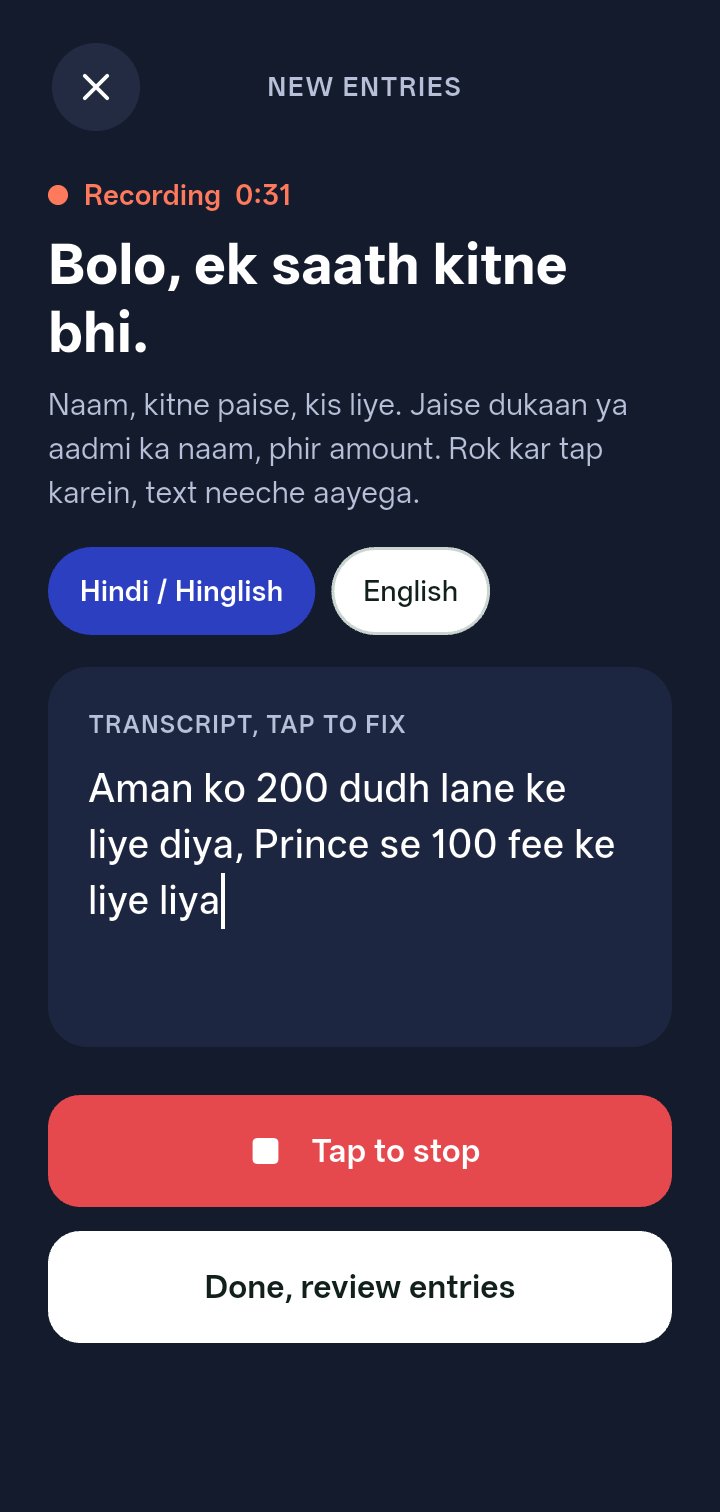
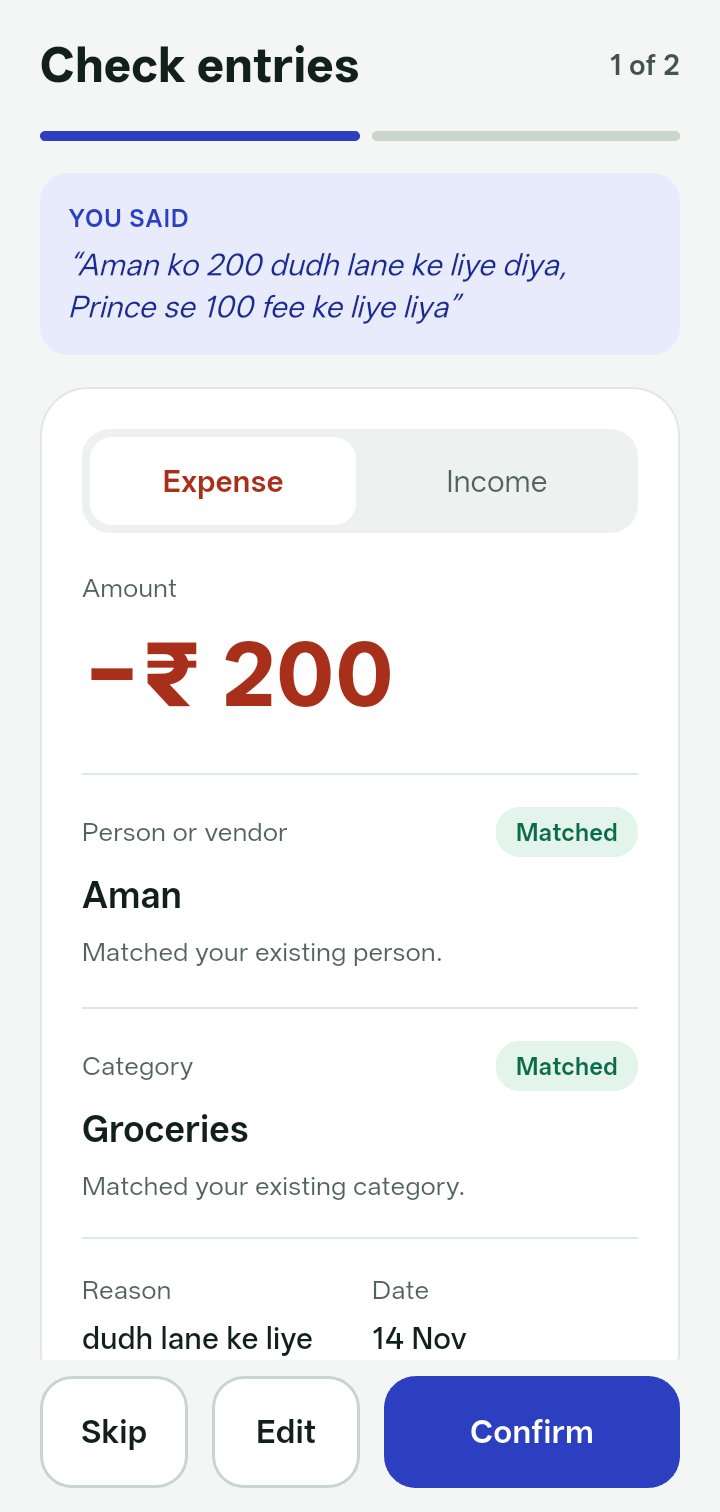
Screens from the app, with sample entries.
पृषà¥à¤ १आपके लोग, à¤à¤• ही नाम से।
Your people and categories, never twice.
Say “Amaan†today and “Aman†tomorrow. Hisaab matches it to the Aman you already have, instead of making a second one. Not sure? It shows you a suggestion and lets you choose.
A new name or category is only created when you confirm the entry.
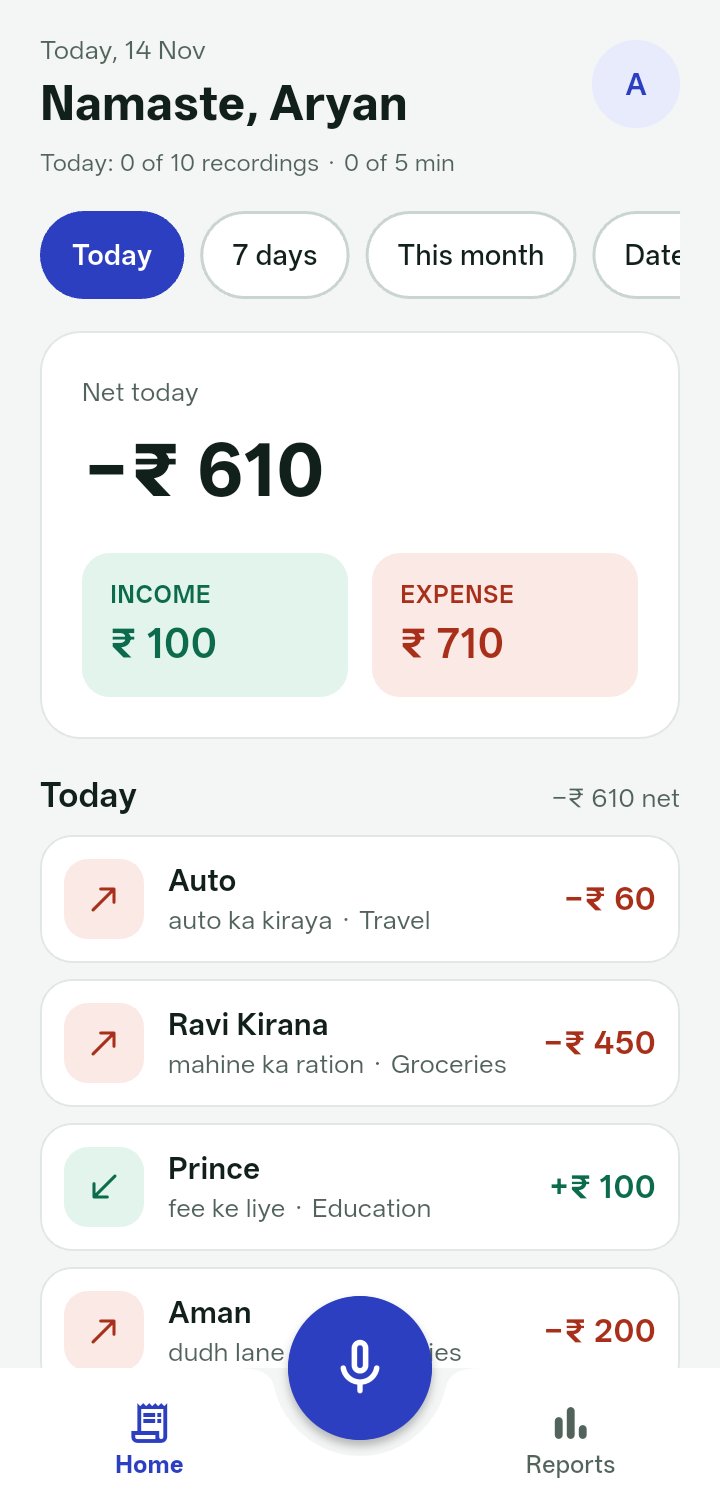
Sample entries in a test account.
दिन, इंसान, खरà¥à¤š: à¤à¤• नज़र में।
Day, person and category at a glance.
Look at any week or month by day, by person and by category, and filter by income or expense.
If you want it, one note arrives every evening at 9 PM India time with your day’s total. Switch it off any time in Settings.
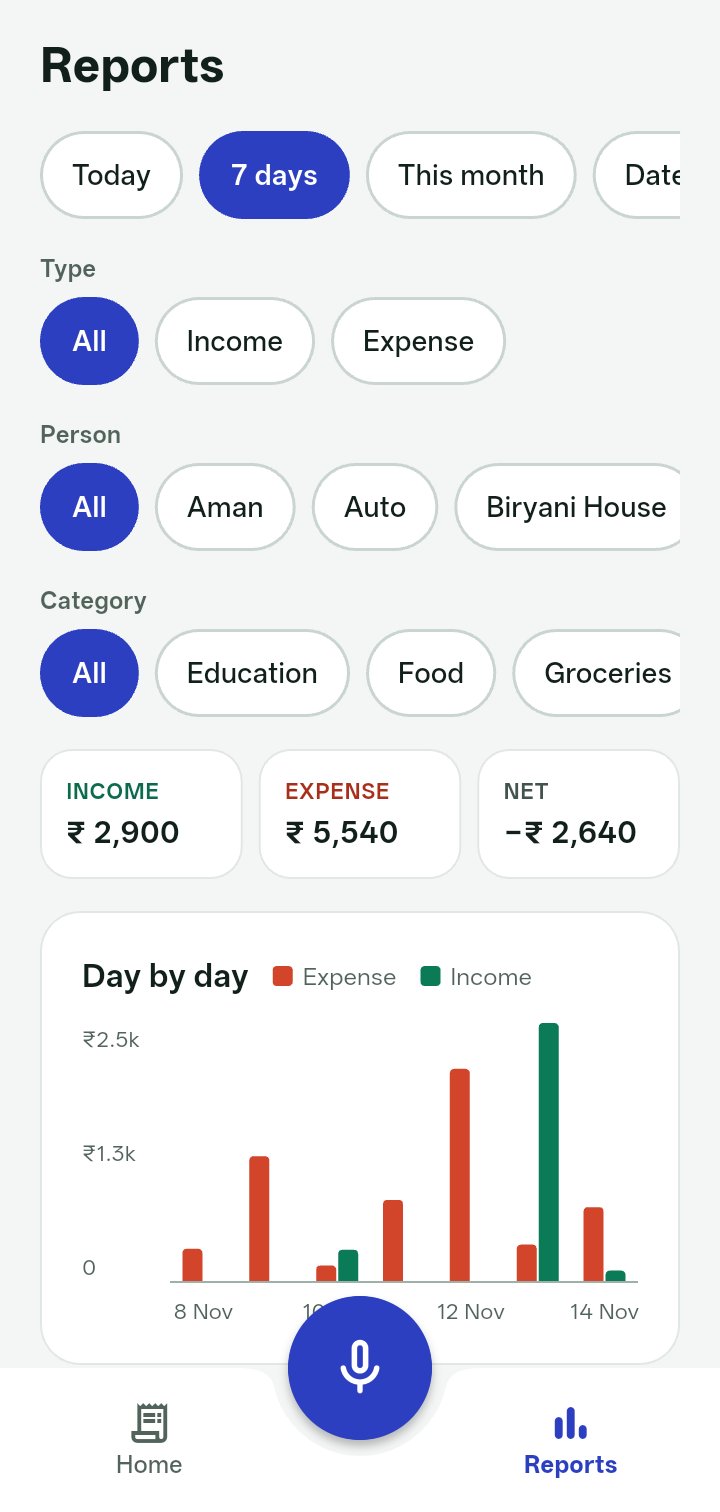
Sample entries in a test account.
सिरà¥à¤«à¤¼ उनके साथ, जिनà¥à¤¹à¥‹à¤‚ने हाठकहा।
Only with people who said yes.
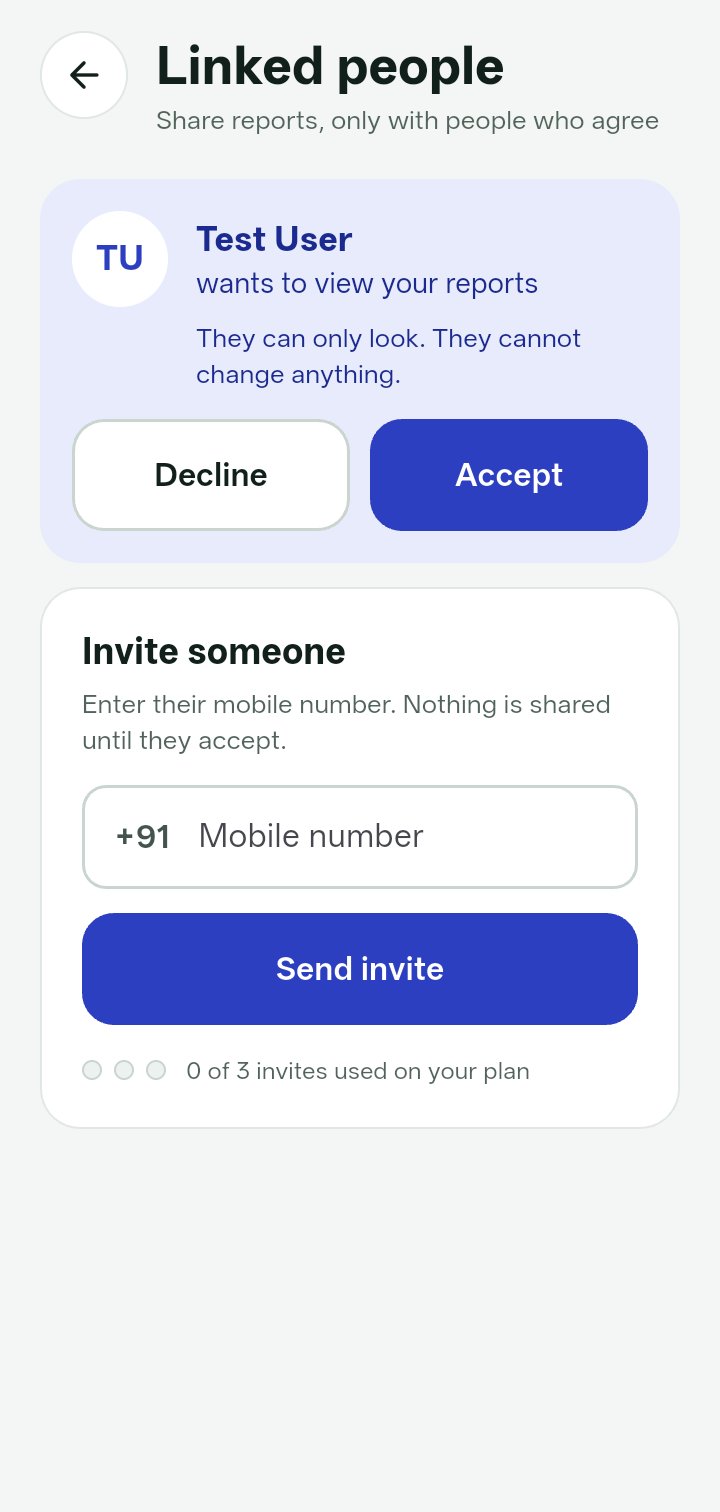
Invite a family member or a colleague by mobile number. They see your reports only after they accept, and only to look. They cannot change a thing.
Either of you can stop sharing at any time.
आपकी बातें, साफ़-साफ़।
What happens to your data, plainly.
- Your recording is sent to our server and to OpenAI to turn it into text. The audio itself is not kept.
- The text, and the entries you confirm, are saved to your account.
- You sign in with your mobile number and an SMS code. There is no password to forget.
- You can delete your account, and all of its data, from inside the app.
Read the privacy policy How to delete your account
पृषà¥à¤ ५बोल दो।
Hisaab is coming to Google Play for Android.
Coming soon onGoogle Play